
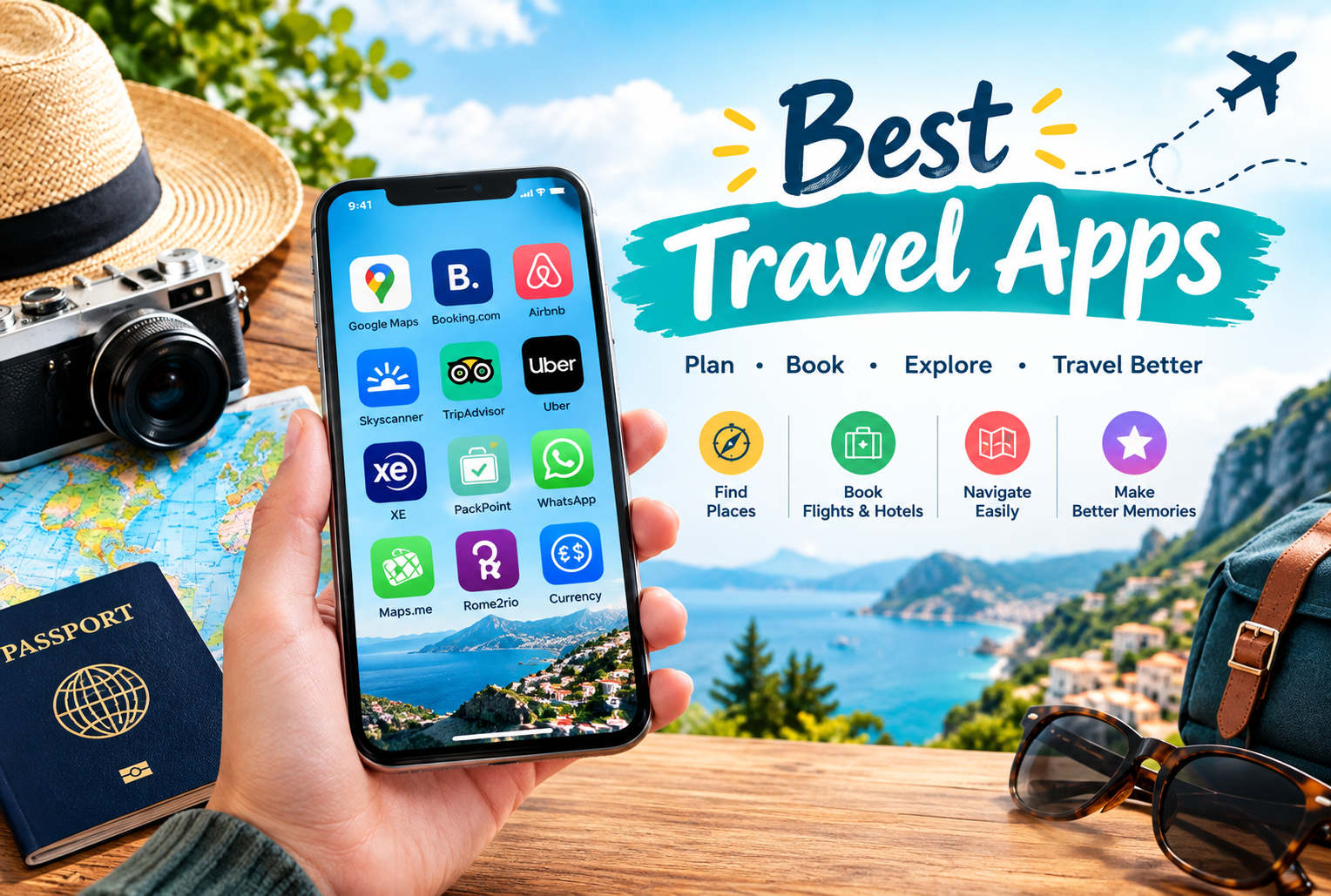
Planning a trip can be exciting, but managing flight bookings, hotel reservations, transportation, sightseeing, and travel expenses can quickly become overwhelming. Fortunately, the right travel apps can make the entire process easier, faster, and more organised.
The Best Travel Apps help travellers compare flights, discover accommodation, navigate unfamiliar destinations, create itineraries, manage budgets, and access important travel information from their smartphones. Whether you are planning a weekend getaway, a family holiday, a solo adventure, or an international vacation, these apps can help you save time and travel with greater confidence.
In this guide, we will explore the best travel apps in 2026, their key features, and how to choose the right tools for a stress-free travel experience.
Why Do You Need Travel Apps in 2026?
Modern travel involves more than simply booking a ticket and packing a suitcase. Travellers often need to compare prices, check transport schedules, find restaurants, manage reservations, and keep track of important documents.
Travel planning apps bring many of these tasks together in one convenient place. Instead of switching between multiple websites or keeping paper notes, you can organise much of your trip directly from your phone.
Here are some major benefits of using travel apps:
- Save time: Find flights, hotels, attractions, and transportation options more efficiently.
- Compare prices: Review different travel options before making a booking.
- Stay organised: Keep reservations, confirmations, and itinerary details accessible.
- Navigate easily: Find directions and explore unfamiliar destinations.
- Control expenses: Track spending and manage your travel budget.
- Travel with confidence: Access maps and essential information when internet connectivity is limited, provided the relevant features are downloaded in advance.
The best approach is to choose a few reliable apps that suit your destination and travel style rather than installing dozens of unnecessary applications.
1. Google Maps – Best for Navigation and Exploring Destinations
Google Maps is one of the most useful tools for travellers who need directions, nearby services, and information about places they want to visit.
Whether you are exploring a new city, finding a restaurant, or planning a road trip, the app can help you understand your surroundings and choose suitable routes.
Key features:
- Turn-by-turn navigation for supported routes.
- Directions for driving, walking, cycling, and public transportation where available.
- Information about businesses, attractions, and restaurants.
- Saved places for organising destinations.
- Downloadable maps for offline navigation in supported areas.
Best for: City exploration, road trips, sightseeing, and finding nearby attractions.
Google Maps is particularly helpful when visiting unfamiliar destinations. Before travelling, download an offline map of your destination where the feature is available. Remember that offline maps have limitations, and some live traffic, transit, and route features may require an internet connection.
2. Google Flights – Best for Comparing Flight Prices
Google Flights is a useful flight-search tool for travellers who want to compare available flights and explore different travel dates.
It allows users to review flight options from multiple airlines and identify alternatives that may suit their budget or schedule.
Key features:
- Compare flight options across different airlines.
- Explore alternative travel dates.
- Review flight durations, stopovers, and departure times.
- Track prices for eligible routes.
- Explore different destinations based on departure location and travel dates.
Best for: Travellers comparing flight schedules, prices, and travel dates.
Before booking, review the airline's own website for the final fare, baggage allowance, cancellation rules, and any additional charges.
Google Flights is primarily a flight-search service, so the final booking process depends on the airline or booking provider.
3. Skyscanner – Best for Flexible Flight Searches
Skyscanner is a popular travel-search platform that helps travellers compare flights and explore flexible travel options. It can be particularly useful when you have a destination in mind but have not finalised your dates.
Key features:
- Search and compare flight options.
- Explore flexible dates and destination ideas.
- Compare different airlines and booking providers.
- Search for hotels and car rentals.
- Set up price alerts for eligible searches.
Best for: Budget-conscious travellers and people with flexible travel plans.
If you are looking for flight booking apps, Skyscanner can help you discover different options before choosing where to book. Always check the final price, baggage fees, and booking conditions before completing a purchase.
4. Booking.com – Best for Hotel Reservations
Finding suitable accommodation is one of the most important parts of trip planning. Booking.com allows travellers to search for hotels, apartments, guesthouses, and other types of accommodation in many destinations.
Key features:
- Search accommodation by destination and dates.
- Filter properties by price, facilities, and guest ratings.
- Review property photographs and descriptions.
- Check cancellation conditions and payment policies.
- Access reservation details through your account.
Best for: Families, couples, solo travellers, and people comparing accommodation options.
When using hotel booking apps, do not select a property based on price alone. Check its location, recent reviews, check-in times, taxes, and cancellation policy.
A cheaper room far from public transportation may ultimately cost more in travel time and transport expenses.
5. Airbnb – Best for Unique Stays and Holiday Rentals
Airbnb is useful for travellers looking for holiday homes, apartments, private rooms, and distinctive accommodation experiences.
It can be a suitable option for families, groups, or travellers who prefer more space than a conventional hotel room offers.
Key features:
- Browse different types of accommodation.
- Compare prices and property facilities.
- Read guest reviews.
- Communicate with hosts through the platform.
- Review house rules and booking conditions.
Best for: Group holidays, longer stays, and travellers seeking accommodation with additional living space.
Before confirming a reservation, review cleaning fees, service fees, check-in arrangements, house rules, and the cancellation policy. Compare the complete booking cost with nearby hotels.
6. TripIt – Best for Organising Travel Itineraries
Managing multiple reservations can become confusing, particularly when a trip includes flights, hotels, car rentals, and activities.
TripIt helps travellers organise travel information into a more convenient itinerary. Depending on the available features and subscription plan, users can access additional travel-management tools.
Key features:
- Organise travel plans in one itinerary.
- Keep important reservation details accessible.
- Combine information about different parts of a journey.
- Review upcoming travel arrangements.
- Access additional planning features through eligible plans.
Best for: Business travellers, frequent flyers, and people managing multi-stop trips.
Travel itinerary planner apps are especially useful when you need to coordinate several bookings. Review your itinerary before departure and keep essential confirmations available offline whenever possible.
7. Wanderlog – Best for Planning Road Trips and Multi-City Holidays
Wanderlog is a trip-planning tool designed to help travellers organise destinations, activities, routes, and travel notes.
It can be helpful when you are planning a detailed itinerary rather than booking a single flight and hotel.
Key features:
- Organise places and activities into an itinerary.
- Plan multi-stop road trips.
- Save attractions and restaurants.
- Collaborate on suitable shared trip plans.
- Manage trip information in one place.
Best for: Road trips, group holidays, sightseeing itineraries, and multi-city travel.
If you are visiting several destinations, organise activities geographically. Visiting nearby attractions on the same day can reduce unnecessary travel and leave more time for enjoying your holiday.
8. Rome2Rio – Best for Comparing Transportation Options
Travelling between cities or countries often requires more planning than booking a flight. Rome2Rio helps users explore different transportation options between destinations.
Depending on the route, the results may include trains, buses, flights, ferries, driving, and other transport connections.
Key features:
- Explore ways to travel between two places.
- Compare transportation modes.
- Review estimated journey durations.
- Discover potential connections.
- Find links to relevant transport providers where available.
Best for: International trips, multi-city holidays, and travellers exploring unfamiliar transport networks.
Rome2Rio is useful for comparing possibilities, but schedules, fares, and availability can change. Verify important journey details directly with the relevant transport operator before booking.
9. XE Currency – Best for International Travel Budgets
International travel can become expensive if you do not understand local prices or exchange rates. XE Currency helps travellers check currency conversions and understand the approximate value of money in another currency.
Key features:
- Convert between supported currencies.
- Check exchange-rate information.
- Compare approximate prices in different currencies.
- Review currency information for budget planning.
- Access certain previously loaded information when offline, depending on app functionality.
Best for: International travellers, overseas shoppers, and people managing expenses in different currencies.
When using budget travel apps, remember that displayed exchange rates may differ from the rates offered by banks, card providers, money changers, or ATMs. Always check transaction fees before exchanging money or making international payments.
10. Splitwise – Best for Managing Group Travel Expenses
Travelling with friends or family can involve shared expenses such as accommodation, meals, fuel, tickets, and transportation.
Splitwise helps groups record shared costs and calculate who owes whom.
Key features:
- Record shared expenses.
- Divide costs among group members.
- Track balances between travellers.
- Organise expenses into groups.
- Review who has paid and who still owes money.
Best for: Group holidays, road trips, shared accommodation, and travel with friends.
Agree on how shared expenses will be recorded before the trip begins. This simple step can reduce confusion and help everyone stay within their individual budgets.
11. Google Translate – Best for Communicating Abroad
Language differences can make international travel challenging, especially when reading menus, understanding signs, or communicating with local residents.
Google Translate supports translation between many languages and offers features that can help travellers communicate more easily.
Key features:
- Translate typed text.
- Translate supported spoken conversations.
- Use the camera for supported text translation.
- Download language packs for certain offline translation features.
- Translate useful phrases while exploring a destination.
Best for: International travel, language assistance, and understanding basic local information.
Download the required language packs before leaving home if you expect limited internet access. Translation quality varies by language and context, so verify important legal, medical, or safety-related information through a reliable source.
12. Uber – Best for Convenient Local Rides
Uber can help travellers arrange rides in destinations where the service operates. It may be useful when public transportation is inconvenient or when travelling with luggage.
Key features:
- Request rides through the app.
- Review available ride options.
- See estimated fares where available.
- Follow the driver's arrival and trip progress.
- Access trip details through the app.
Best for: Airport transfers, local journeys, and travellers who prefer app-based ride booking.
Availability, prices, payment methods, and ride options vary by location. Before travelling, check whether Uber operates at your destination and compare its prices with local taxis and public transportation.
For safety, confirm the vehicle and driver details shown in the app before getting into a car.
13. PackPoint – Best for Creating a Packing Checklist
Packing can be stressful when you are preparing for different weather conditions, activities, or trip durations. PackPoint helps travellers organise packing lists based on their travel plans and requirements.
Key features:
- Create packing checklists.
- Organise essential items for a trip.
- Consider travel duration and activities.
- Help reduce the risk of forgetting important belongings.
- Customise lists for different types of journeys.
Best for: Family holidays, business trips, adventure travel, and frequent travellers.
Create your packing list several days before departure. Include travel documents, medications you normally use, chargers, weather-appropriate clothing, and any destination-specific essentials.
Comparison Table: Best Travel Apps in 2026
The following table summarises the main purpose of each app to help you select the most useful tools for your trip.
| Travel App | Main Purpose | Best For |
|---|---|---|
| Google Maps | Navigation and local discovery | Exploring destinations |
| Google Flights | Flight comparison | Comparing flight options |
| Skyscanner | Travel searches | Flexible flight searches |
| Booking.com | Accommodation | Hotel reservations |
| Airbnb | Holiday rentals | Groups and longer stays |
| TripIt | Itinerary organisation | Managing reservations |
| Wanderlog | Trip planning | Road trips and multi-city holidays |
| Rome2Rio | Transport comparison | Planning connections |
| XE Currency | Currency conversion | International budgets |
| Splitwise | Expense sharing | Group travel |
| Google Translate | Language translation | Communicating abroad |
| Uber | Ride booking | Local transportation |
| PackPoint | Packing checklists | Organising luggage |
Features, fees, availability, and offline capabilities may change over time. Check each app's current listing and terms before relying on a particular feature.
How to Choose the Best Travel Apps for Your Trip
Not every traveller needs the same applications. Your ideal selection depends on your destination, travel style, budget, and access to the internet.
1. Choose Apps Based on Your Destination
For a domestic road trip, navigation and itinerary tools may be your main priorities. For an international holiday, you may also need currency conversion, translation, and information about local transportation.
2. Compare Prices Before Booking
Use flight-search and accommodation platforms to compare options, but review the final price on the booking provider's website. Check taxes, baggage fees, cancellation rules, and payment conditions.
3. Download Important Information in Advance
Download offline maps, relevant language packs, reservation confirmations, and essential travel documents before departure.
Offline functionality differs between apps, and some features may still require an internet connection.
4. Check Reviews and App Permissions
Read recent user reviews and download applications from official app stores. Check whether an app requests permissions that are necessary for its features.
Avoid sharing sensitive travel or payment information through unverified applications.
5. Keep Essential Details Accessible
Save your hotel address, emergency contacts, flight details, travel insurance information, and reservation confirmations somewhere you can access when needed.
For important documents, keep a secure backup that does not depend entirely on mobile connectivity.
Best Travel Apps for Different Types of Travellers
Your travel style can help determine which applications deserve a place on your phone.
| Traveller Type | Recommended Apps |
|---|---|
| Budget travellers | Skyscanner, Google Flights, XE Currency |
| Families | Booking.com, Google Maps, PackPoint |
| Solo travellers | Google Maps, Google Translate, Uber |
| Road-trip travellers | Wanderlog, Google Maps, Splitwise |
| International travellers | Google Translate, XE Currency, Rome2Rio |
| Business travellers | TripIt, Google Maps, Booking.com |
| Groups of friends | Splitwise, Wanderlog, Airbnb |
These are general recommendations rather than a ranking. The best combination depends on your specific trip and the availability of each service at your destination.
Tips for Stress-Free Trip Planning in 2026
Even the best travel applications cannot replace careful preparation. Follow these practical tips to make your next trip easier to manage.
-
Book important services early: Flights and popular accommodation may become more expensive as availability changes.
-
Keep flexible plans where possible: Leave room for unexpected weather, delays, or changes in your preferences.
-
Check travel documents: Review passport validity, visa requirements, and entry rules through official sources.
-
Review local transportation: Understand airport transfers and public transport before arrival.
-
Prepare for limited connectivity: Download maps and confirmations in advance.
-
Monitor your spending: Record major expenses and leave room for emergencies.
-
Protect your phone: Use a secure screen lock and keep your device charged.
-
Avoid overplanning: Allow time to relax and enjoy the destination instead of filling every hour with activities.
The goal of apps for stress-free travel is not to organise every minute of your journey. It is to reduce avoidable problems so you can spend more time enjoying your experience.
Common Mistakes to Avoid When Using Travel Apps
Travel apps are helpful, but relying on them without checking details can create unnecessary problems.
Relying on One App for Everything
No single application is ideal for every travel task. Use specialised tools for navigation, reservations, budgeting, and itinerary management when needed.
Ignoring Cancellation Policies
A low booking price may come with strict cancellation rules. Review the conditions before confirming flights, hotels, or activities.
Forgetting Offline Preparation
Maps and confirmations may not be accessible if your connection fails and you have not downloaded or saved the necessary information.
Trusting Every Price Estimate
Estimated fares, exchange rates, and journey times can change. Verify critical details with the actual provider.
Installing Too Many Apps
Too many applications can make travel planning more confusing. Choose a small set of tools that cover your essential needs.
Conclusion
The Best Travel Apps can make trip planning more convenient by helping you compare flights, book accommodation, navigate new places, organise itineraries, manage expenses, and prepare for international travel.
For most travellers, a practical starting combination is Google Maps for navigation, Google Flights or Skyscanner for flight searches, Booking.com for accommodation, and Wanderlog or TripIt for organising plans. International travellers may also benefit from Google Translate and XE Currency, while groups can use Splitwise to manage shared expenses.
Choose applications that solve your actual travel needs, verify important booking information, and prepare essential details before leaving home. With the right combination of travel planning apps, you can spend less time managing logistics and more time enjoying your journey.